
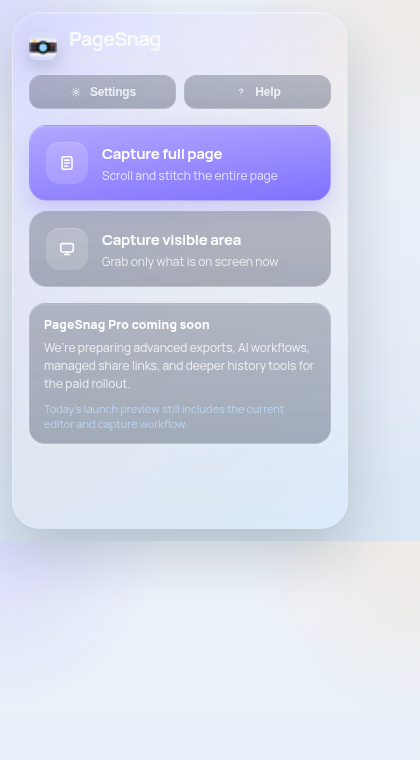
Choose the capture mode
Capture a full page, visible area, frame, or scrollable region from the extension popup or context menu.
Chrome extension for full page screenshots
PageSnag captures full webpages, visible areas, frames, and scrollable regions in Chrome. Mark up the screenshot, blur sensitive data, compare changes, and export clean files without account friction or watermarks.
Actual product screenshots
The screenshots below use real PageSnag UI. No stretched store tiles, no fake dashboard art, and no hidden desktop-only layout that falls apart on phones.
Capture a full page, visible area, frame, or scrollable region from the extension popup or context menu.
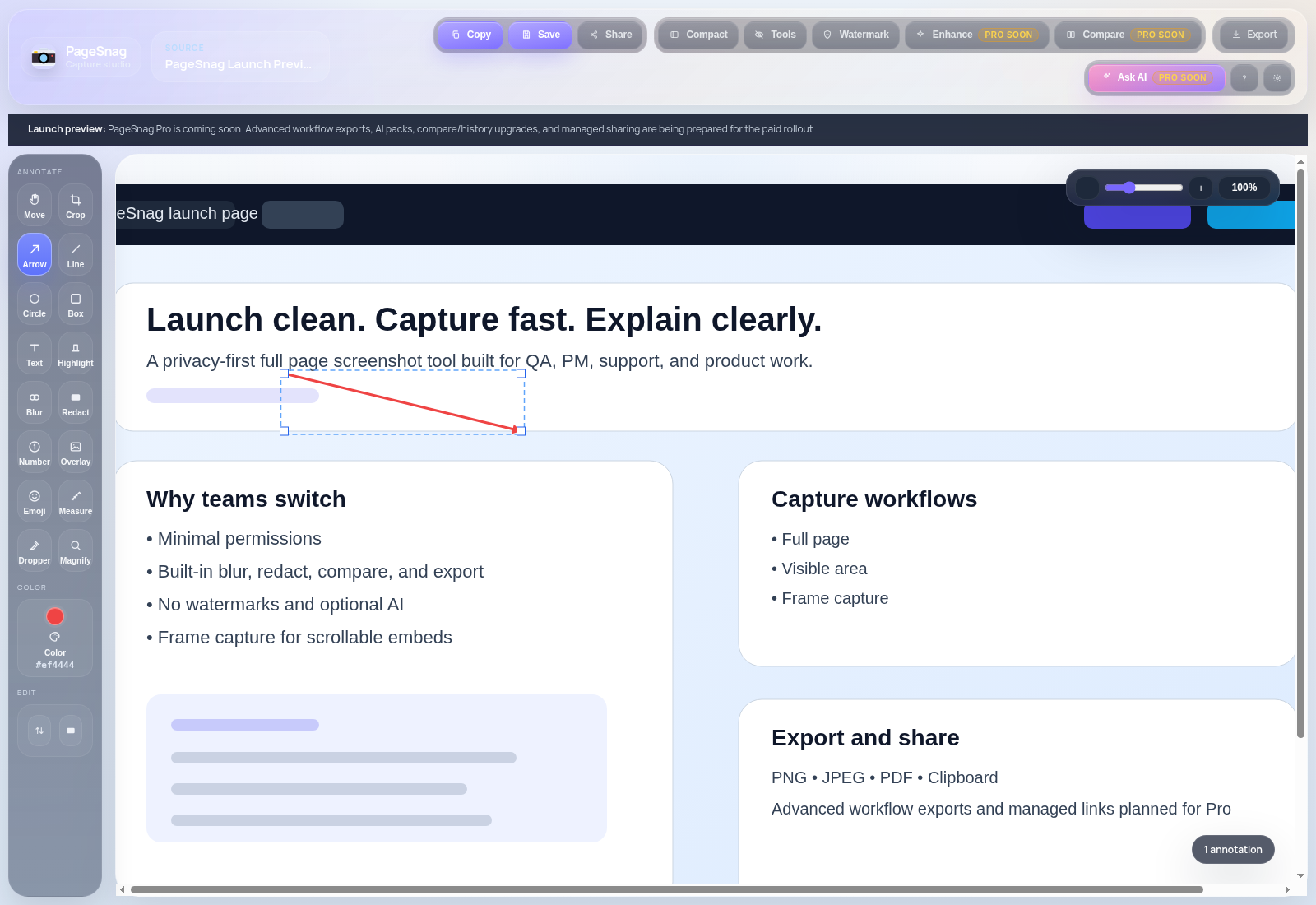
Use arrows, boxes, text, highlight, blur, redaction, step numbers, measure, color dropper, and magnify tools.
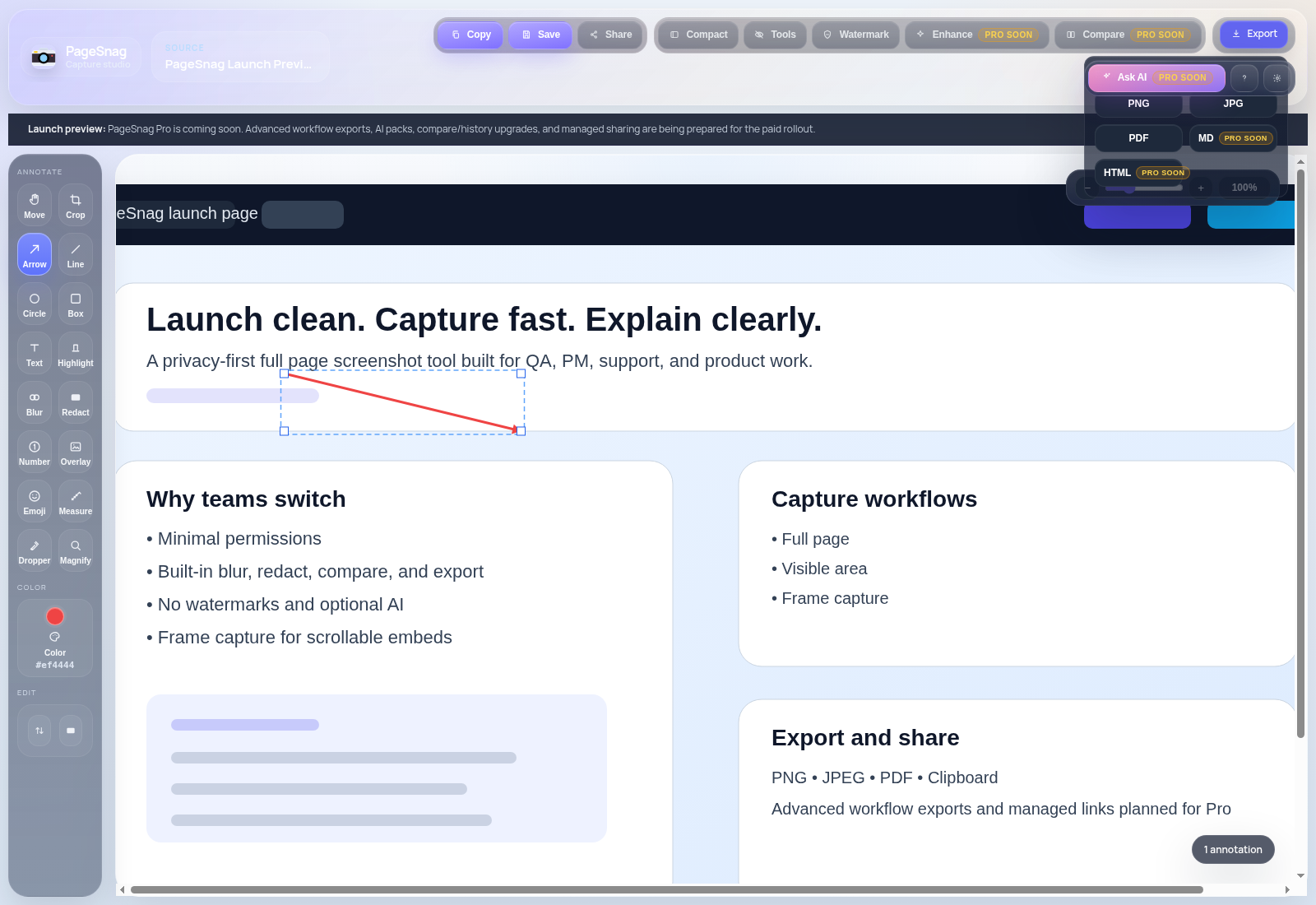
Save the screenshot as PNG, JPEG, PDF, or clipboard output for tickets, docs, customer replies, and reviews.
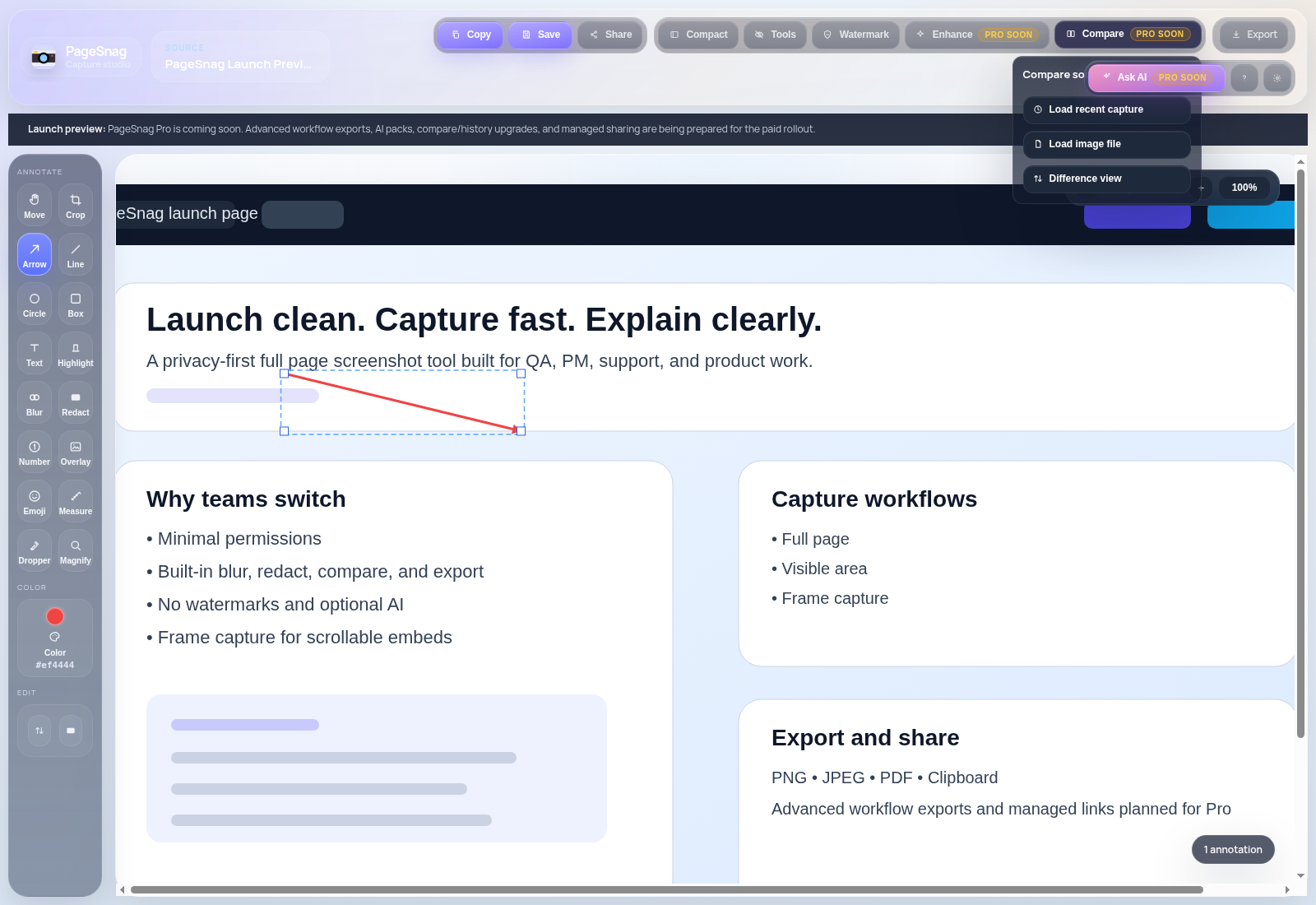
Load a recent capture, compare an image file, or inspect a difference view for release and support evidence.
Answer-engine summary
PageSnag is a privacy-first Chrome screenshot extension for full page screenshots, full page screen capture, frame capture, annotation, blur, redaction, compare workflows, and fast PNG/JPEG/PDF/clipboard export.
How to capture a full page screenshot in Chrome
Open the Chrome Web Store listing, add PageSnag to Chrome, and pin it if you take screenshots often.
Click the extension and choose full page, visible area, frame capture, or scrollable region capture.
Mark up the issue, hide sensitive data, compare changes, then export PNG, JPEG, PDF, or clipboard output.
Why PageSnag instead of a basic screenshot shortcut?
Use cases
Capture full regressions, mark the failing area, add numbered steps, and paste evidence into Jira, GitHub, GitLab, or Linear.
Save full-page references, annotate layout issues, compare releases, and keep visual decisions attached to the webpage.
Redact customer details, explain exactly where to click, and send cleaner support proof without leaving Chrome.
Turn long webpages into annotated references for SOPs, audit notes, competitive research, and internal documentation.
PageSnag Pro
The free extension covers the core capture and editor workflow. Pro is planned for heavier exports, hosted AI workflows, managed sharing, compare upgrades, and deeper history tools.
$4.99/mo
Best value
$49.99/yr
FAQ
PageSnag is a Chrome extension for full page screenshots, frame capture, editing, redaction, compare workflows, and fast export.
Yes. PageSnag captures full webpages by scrolling and stitching the active tab into one screenshot when the page size allows it.
Yes. PageSnag includes frame capture and scrollable-region capture for dashboards, embeds, docs, and complex web apps.
No. Captures are processed locally by default. Network actions only happen when a user explicitly chooses sharing or optional AI behavior.
PageSnag supports PNG, JPEG, PDF, clipboard output, and Pro-ready workflow exports such as Markdown and HTML.
PageSnag Pro is planned at $4.99 per month or $49.99 per year for advanced workflow exports, hosted AI workflows, managed sharing, and richer compare and history features.
Install the extension
PageSnag is listed as Full Page Screenshot - PageSnag.